Showing posts with label button. Show all posts
Showing posts with label button. Show all posts
Monday, October 27, 2014
Google What is 1 button

 When you browse net and read various articles then you might see the Tweet, Facebook like, Stumble Upon button after the post. But at present time you may see another button with other sharing buttons. This is +1 button.
 The +1 button is nothing but an alternative to Facebook like button. But dont think it just like Facebook like button. It is something more than Facebook like button.
When you +1 something actually youre doing many things. Give a +1 to a post means youre recommending this post on Google Search, Sharing with your friends in your Google + Circle and most importantly youre saving the page in your +1 list.
In order to use the Google +1 button, you must have a Google Account. And the account should be visible to public. If you dont set your profile publicly visible then you will not be able to see and use +1 button.
Sometimes you may wanna save a copy of your favourite web page. But you dont need to do so if you use +1. If you see a +1 button in that web page then just give a +1 and you will find this page in your Google + profile at the +1 list!

Sunday, October 19, 2014
Add Print as PDF Button in Your Blog!
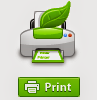
Sometimes your blog or website reader may wanna save the post as PDF. Or they may want to print it. And there are many free tools to add Save as PDF button. But the problem is that, most of the free tools doesnt allow you to remove the background images of your site. I mean this is not print friendly. As a result whole web page is saved. And this is very irritating.
Today Im sharing a code that is free from this problem. It allows you to save only the text with related image. Lets try this-
- Sign in into your blog. Then go to design.
- From the left panel, hit on the Layout button.
- Now click on Add a Gadget.
- Choose HTML/ JavaScript.
- Now copy and paste the following code into the Content Box.
- Save the gadget and view your blog to see the change!
<script src="http://cdn.printfriendly.com/printfriendly.js" type="text/javascript"></script><script type="text/javascript">document.doAT = function(cl){var myclass = new RegExp("hentry");var myTitleContainer = new RegExp("post-title");var myPostContent = new RegExp("post-footer");var elem = this.getElementsByTagName("div");for (var i = 0; i < elem.length; i++){var classes = elem[i].className;if (myclass.test(classes)){var container = elem[i];for (var b = 0; b < container.childNodes.length; b++){var item = container.childNodes[b].className;if (myTitleContainer.test(item)){var link = container.childNodes[b].getElementsByTagName("a");if (typeof(link[0]) != "undefined"){var url = link[0].href;var index_page = true;}else{var url = document.url;var index_page = false;}if (typeof(url) == "undefined"|| url == "undefined" ){url = window.location.href;var index_page = false;}}if (myPostContent.test(item)){var footer = container.childNodes[b];}}var n = document.createElement("div");if (index_page == true) {var at = <a href= + url + ?pfstyle=wp + style="float:right; margin-right: 1em; color:#6D9F00; text-decoration:none;" class="printfriendly" title="Printer Friendly and PDF"><img style="border:none;" src="http://cdn.printfriendly.com/button-print-grnw20.png" alt="Print Friendly and PDF"/></a>;}else {var at = <a href="http://www.printfriendly.com" style="float:right; margin-right: 1em; color:#6D9F00; text-decoration:none;" class="printfriendly" onclick="window.print(); return false;" title="Printer Friendly and PDF"><img style="border:none;" src="http://cdn.printfriendly.com/button-print-grnw20.png" alt="Print Friendly and PDF"/></a>;}n.innerHTML = at;var origFooter = footer.innerHTML;footer.innerHTML = n.innerHTML + origFooter;footer.style.overflow = "hidden";}}return true;};document.doAT("hentry");</script>
If you wanna place the button at the left side then replace the red colored words as- float:left. And if you are expert in coding like html, CSS, then you can easily place this code anywhere you want.
Code for other Websites Other than Blogger:
<script src="http://cdn.printfriendly.com/printfriendly.js" type="text/javascript"></script><a href="http://www.printfriendly.com" style=" color:#6D9F00; text-decoration:none;" class="printfriendly" onclick="window.print(); return false;" title="Printer Friendly and PDF"><img style="border:none;" src="http://cdn.printfriendly.com/button-print-grnw20.png" alt="Print Friendly and PDF"/></a>

Stay with Marks PC Solution to get more interesting IT topics!
Subscribe to:
Posts (Atom)